Motion Detection Program
Multithreaded video motion detection with client-server distributed processing
Overview
A multi-functional application that processes video files to detect motion using frame differencing. Features video-to-frame extraction, multithreaded processing, and distributed server-client architecture for parallel processing.
Highlights
- Multithreaded motion detection using pthreads for efficient frame processing across CPU cores
- Client-server TCP socket communication for distributed motion detection workloads
- Frame differencing algorithm with RGB-to-grayscale conversion and binary thresholding
- FFmpeg integration for video-to-frame extraction and frame-to-video reconstruction
- OpenCV-based frame extraction with customizable resolution and framerate
Tech Stack
User Interface
The motion detection program features a menu-driven interface providing six core options: video-to-frame conversion, motion detection processing, frame-to-video reconstruction, server mode for distributed processing, client mode for connecting to servers, and exit. The interface includes comprehensive input validation, automatic directory creation, and 'home' keyword support for returning to the main menu at any prompt. Users can specify custom framerates and resolutions for output videos, making the system flexible for various use cases from security surveillance to scientific analysis.
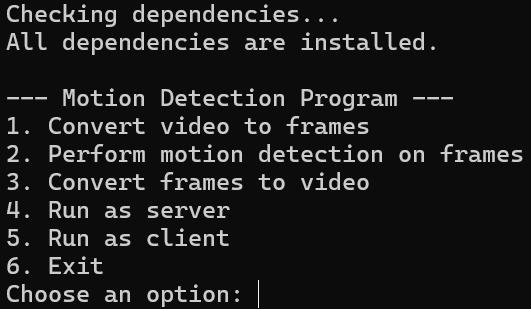
Terminal-based menu interface for motion detection operations
Original Video Input
The program accepts standard video formats including MP4, AVI, and MOV through FFmpeg and OpenCV integration. This example shows a nighttime outdoor scene with moving subjects. The video is first decomposed into individual JPEG frames using OpenCV's VideoCapture class, with each frame numbered sequentially (frame_0.jpg, frame_1.jpg, etc.). Frame extraction preserves original resolution and color information, enabling accurate motion detection in subsequent processing stages.
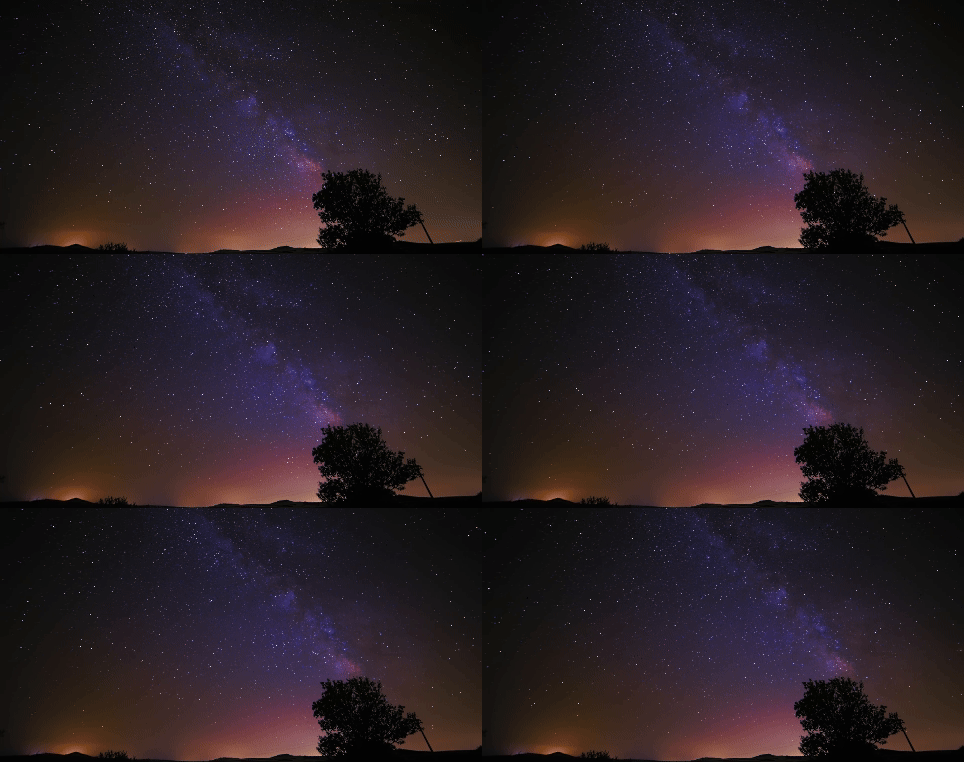
Original night-time video before motion detection processing
Motion Detection Algorithm
Each frame undergoes a six-step processing pipeline: (1) Load current frame as RGB image using libjpeg, (2) Convert to grayscale using weighted average (R×0.3 + G×0.59 + B×0.11) to reduce dimensionality, (3) Load previous frame and convert to grayscale, (4) Compute absolute pixel-wise difference between frames to generate motion map, (5) Apply binary threshold (default 20) to isolate significant motion areas, (6) Save motion-detected frame as JPEG. This approach highlights regions with pixel intensity changes exceeding the threshold, effectively isolating moving objects while suppressing static background elements.
Motion Detection Output
The processed video shows motion-detected regions highlighted in white against a black background. This binary representation clearly identifies moving objects (people walking) while eliminating static elements (buildings, trees, ground). The frame differencing algorithm successfully detects subtle movements even in low-light conditions. Each output frame is saved as motion_frame_N.jpg and can be reconstructed into a video using FFmpeg with user-specified framerate and resolution settings.
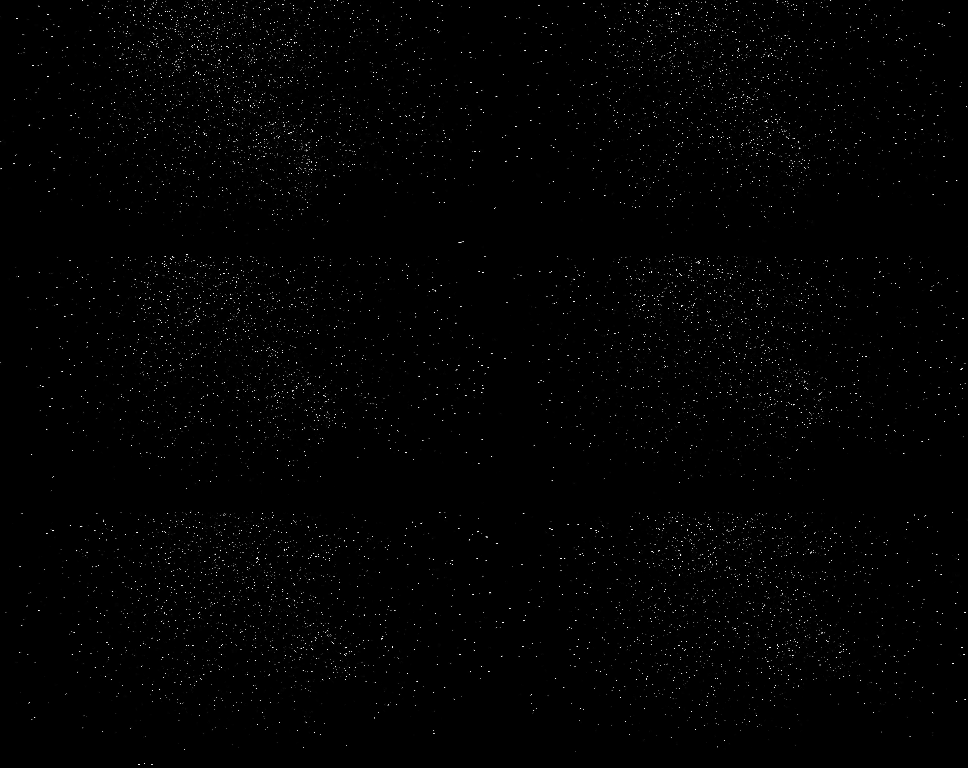
Motion-detected output showing only moving objects in white
System Architecture
- Menu-driven interface (main.c) for video-to-frame conversion, motion detection, and frame-to-video conversion
- Multithreaded frame processing (handle_motion.c) using pthreads to distribute workload across CPU cores
- Image utilities (image_utils.c) for JPEG loading/saving, RGB-to-grayscale conversion, frame differencing, and thresholding
- Network utilities (network_utils.c) implementing TCP server-client communication for distributed processing
- OpenCV integration (vid_to_jpg.cpp) for extracting frames from video files
- FFmpeg integration for reconstructing processed frames into output video with customizable resolution and framerate
Multithreading Implementation
- Dynamic thread allocation based on CPU core count using sysconf(_SC_NPROCESSORS_ONLN)
- Frame batching: total frames divided evenly among threads for parallel processing
- Each thread processes assigned frame range independently using process_frame_batch()
- Thread synchronization using pthread_join() to ensure all frames complete before proceeding
- Prevents race conditions through independent frame file I/O per thread
- Significantly reduces processing time for large video datasets
Distributed Processing Architecture
The server mode splits the workload in half: server processes first half of frames locally while sending second half instructions to connected client via TCP socket (port 8080). The client receives processing command with input/output paths and frame range, processes assigned frames using multithreading, and sends completion confirmation back to server. This distributed approach doubles processing throughput when two machines are available. TCP sockets use AF_INET for IPv4 communication with SO_REUSEADDR to prevent address-in-use errors during testing.
Video Processing Pipeline
- Video-to-Frame: OpenCV VideoCapture extracts frames and saves as sequential JPEG files (frame_0.jpg, frame_1.jpg, ...)
- Motion Detection: Multithreaded processing compares consecutive frames and generates motion_frame_N.jpg outputs
- Frame-to-Video: FFmpeg command reconstructs frames into MP4 using libx264 codec with customizable framerate and resolution
- User specifies framerate (e.g., 30 fps) and resolution (e.g., 1280x720) for output video
- Supports return-to-menu functionality via 'home' keyword during all input prompts
- Automatic directory creation and validation for output paths
Key Learnings
- Multithreading with pthreads significantly improves performance for CPU-bound image processing tasks
- TCP socket programming enables distributed workload processing across networked machines
- Frame differencing provides effective motion detection without complex computer vision algorithms
- Proper memory management (malloc/free) is critical to prevent leaks in long-running image processing loops
- Integration of C and C++ code allows leveraging both low-level performance and high-level libraries like OpenCV